


In this fifth part of the intro to the NDK, I will provide a full example of a working tool I called PointGradient, which builds onto the principles we learned about in parts 1 through 4.
This PointGradient Node is similar to other existing nodes on Nukepedia, such as Kevin Fisch’s https://www.nukepedia.com/tools/gizmos/image/kf-n-point-gradient/ or Nikolai Wüstemann’s https://www.nukepedia.com/tools/gizmos/colour/voronoi-gradient/
I love to work with Point gradient tools as part of my workflow, particularly for making clean patches for IBK, or when dealing with skies (see Voronoi Gradient’s Nukepedia page for good workflows). However, I always found the non-compiled solutions such as the ones above to be lacking in terms of user experience and options, as well as performance for large number of points. Both these tools are doing great working within the limitations of the techs they chose (native nodes for Kevin, Blinkscript for Nikolai), but the NDK can let us push further.
The ability with C++ to pre-build certain data structures before processing pixels prevents from having to re-calculate everything for each pixel, greatly improving responsivity, while using the Table Knob allows easy manipulation of many points at once.
This tool was the first tool I started building when learning the NDK, and while I had a working version in 2023, it’s been a bumpy road leading to this release.
The early idea.
Early on, I wanted to make sure I implemented a proper Natural Neighbor Interpolation (NNI) algorithm. That is, that there would be a smooth gradient between all the points, and that all points would contribute to the result.
NNI is not a particularly heavy algorithm, but it’s rather complex to implement properly, and calculating it in a loop for each pixel still causes significant delays.
The steps to perform NNI are roughly as follow:
- Calculate the Voronoi Diagram of all the data points and their gradients.
- For the new point for which we want to calculate the color, pretend we add on more point to the Voronoi diagram, and use the overlap between the new cell and the neighboring cells to calculate the proper color.
While the second step must be done on a per-pixel basis, the first step can be reused for every pixel.
This got me thinking that I could build the Voronoi diagram once during the validate method, store it, and access it directly as part of my engine.
Upon doing more research, I discovered Delaunay Triangulation, which is Voronoi’s little brother (The Delaunay Triangulation and the Voronoi Diagram are linked, and one can be “extracted” from the other). This was great news, as I could use my points directly as the vertices of triangles in my Delaunay “mesh”.
The idea of implementing Delaunay Triangulation from scratch did not enthuse me particularly, so I decided early-on that I’d use a library to handle the complex math, leaving me to focus on the Nuke-side of things.
I considered Triangle, which seems to be the go-to library for this task, but then I found CGAL, and it seemed perfect:
- Built-in Delaunay Triangulation
- Built-in Natural Neighbor Interpolation! With multiple algorithms!
The GPL License trap.
I went ahead and implemented the code using CGAL. What a weird library it was! I had never seen C++ code that looked like that (not that I had seen that much C++ code), but with a decent amount of tears and sweat, examples from the documentation, and some help from an early version of Claude I finally managed to tame CGAL and get a working version of the plugin.
This is when I decided I’d release a series of C++ tutorials, so that I could guide others through that journey I had just taken.
I put my PointGradient node aside as I got working on Part 1 of the tutorial, then 2, 3 and 4.
Just as I was about to release PointGradient as part 5 (I was in the middle of writing the guide to using CGAL), my ex-colleague from Weta Alex Telford released his pipeline book: https://leanpub.com/practical_python
As I was browsing through the page, a chapter caught my attention: Legal Licenses, particularly a blurb about the GPL license. After all, CGAL was GPL-licensed, so knowing more about it couldn’t hurt.
While digging into it a bit further, I realized that using a GPL Library with Nuke was not only a breach of the GPL license, but also of my Nuke developer license. Having been harassed in 2024 by copyright trolls (for using a supposedly copyrighted photo in another blog post, a photo I obtained specifically because it was free to use…), I didn’t feel like ignoring the license terms and putting myself in a precarious legal situation. I considered obtaining a commercial license of CGAL, but that starts at 5000 Euros per year, and while I really like sharing my stuff online for free, I don’t like it enough that I’d be willing to fork out this kind of money out of pocket.
Finding an alternative to CGAL
As you can imagine, this was a big blow to my motivation, I had to go back to the drawing board and figure out which library to use as a replacement. Should I fall back on Triangle?
I did a half-hearted attempt to switch to LibIGL, but the usage was quite different, and while I reached the point where the very basics were functional again, I was quite struggling with how it worked, and completely lost interest in working on PointGradient.
Only now, a year later, did I decide to get back to the project, after a week of vacation which helped me recharge a bit. While laying on the beach an idea struck me: Could the new version of Gemini pro be good enough to write a Delaunay triangulation library for me?
I gave it a try, and to my surprise it nearly worked. It wasn’t quite doing the right thing, but with a bit of back and forth and manual edits it looked like it might just let me finish this project.
After a few tries, Gemini gave me a decent triangulation library, and I was able to finish building the Nuke node.
Making the node
I don’t think I need to really go in details for making the node itself, it builds on top of what we’ve learned so far in previous chapters, but I made sure to comment the source code as much as possible.
The code is here: PointGradient / Delaunay Library
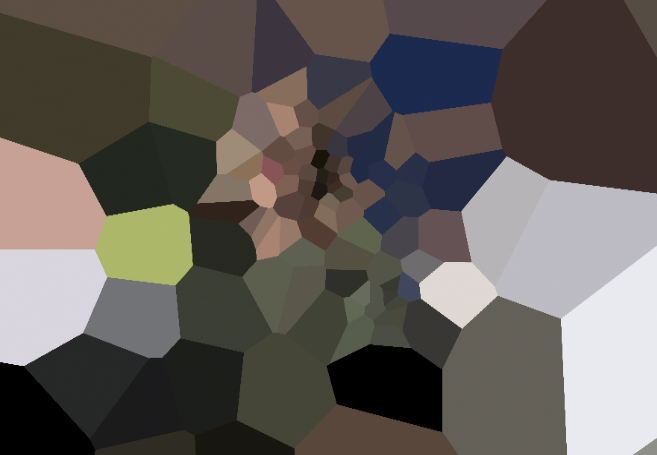
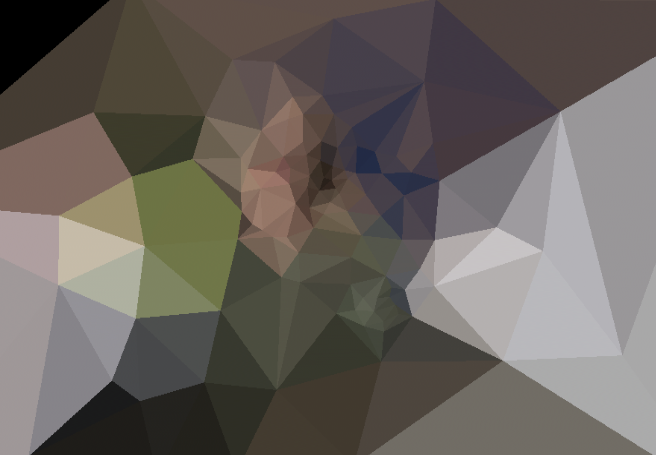
Instead of some lengthy explanation, please enjoy a dump of random screenshots. I’m not sure if there will be more parts to the C++ tutorials, these 5 parts were the original intended 5, if I do more they may be standalone posts.
Cheers
Leave A Comment